


Biblioteka Główna - ENG
Uniwersytet Szczeciński
e-mail: bg-info@usz.edu.pl
WWW: https://bg.usz.edu.pl
search the catalogue: https://katalog.bg.szczecin.pl/cgi-bin/koha/opac-search.pl
facebook.com/Biblioteka.Glowna.Uniwersytetu.Szczecinskiego
Instagram: https://www.instagram.com/biblioteka_us
TikTok: https://www.tiktok.com/@bibliotekaus
Library Opening Hours – Designed for Your Convenience! 🕒📚
Each of our libraries operates on slightly different schedules – tailored to both our readers’ needs and the Faculties they serve.
🔍 To avoid surprises, we recommend checking the current opening hours on each library’s website before your visit. This way, you’ll always find us open when you need us!
Where to Find Us? Contact Details for All University of Szczecin Libraries 📚📍
Need assistance or planning to visit one of our libraries? Here’s all the essential contact information:
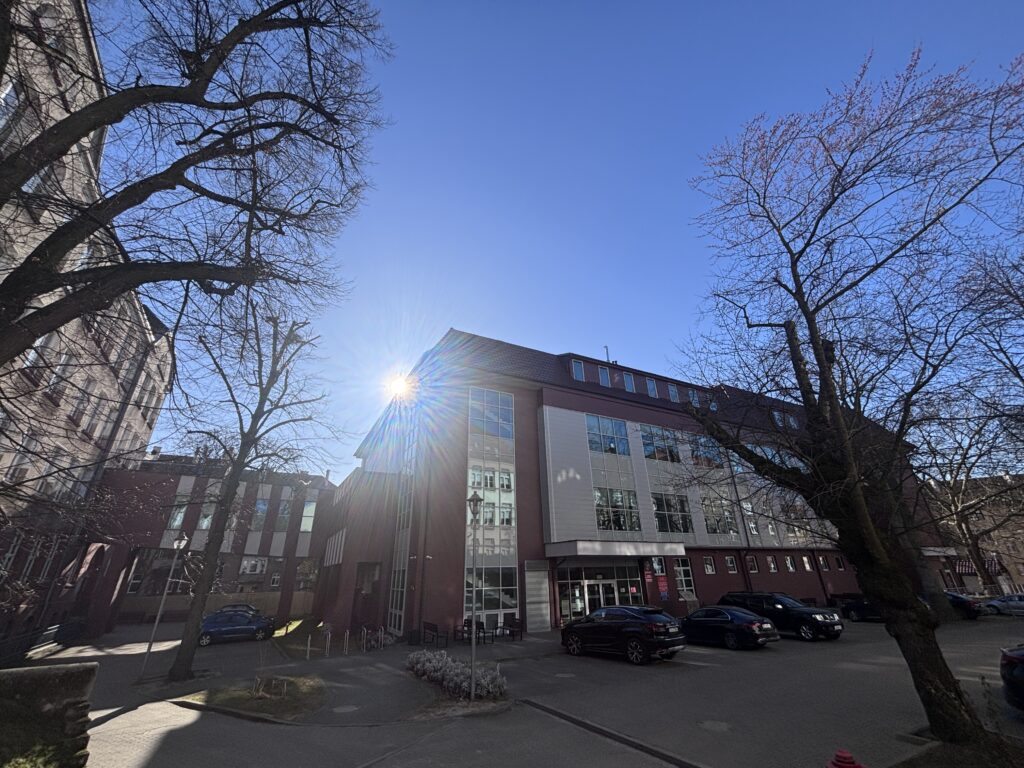
📚 Main Library
Tarczyńskiego 1
📞 +48 91 444 2405
🌐 www.bg.usz.edu.pl
✉️ bg-info@usz.edu.pl
💰 Economics Library
Mickiewicza 64
📞 +48 91 444 2055
🌐 www.bg.usz.edu.pl/wneiz/
✉️ biblioteka.mickiewicza@usz.edu.pl
🏫 Economics Library at the Cukrowa Campus
Cukrowa 8
📞 +48 91 444 3223
🌐 www.bg.usz.edu.pl/wzieu/
✉️ biblioteka.cukrowa@usz.edu.pl
🧠 Krystyna Łyczywek Humanities and Social Sciences Library
Krakowska 71-79
📞 +48 91 444 3339
🌐 www.bg.usz.edu.pl/human/
✉️ biblioteka.humanistyczna@usz.edu.pl
⚖️ Professor Stanisław Czepita Law and Administration Library
Narutowicza 17
📞 +48 91 444 2816
🌐 www.bg.usz.edu.pl/prawo/
✉️ biblioteka.narutowicza@usz.edu.pl
🔬 Interdisciplinary Library
Piastów 40b, Building 3
📞 +48 91 444 2641
🌐 www.bg.usz.edu.pl/bm/
✉️ biblioteka.miedzywydzialowa@usz.edu.pl
🙏 Faculty of Theology Library
Papieża Pawła VI 2
📞 +48 91 444 1462
🌐 www.bg.usz.edu.pl/teo/
✉️ biblioteka.teologiczna@usz.edu.pl
We warmly welcome you to visit! Each of our libraries is ready to assist you and showcase our fascinating collections. 😊
How to Log In to the Main Library Catalog of the University of Szczecin? 😊
1️⃣ Visit the website:
👉 www.bg.usz.edu.pl
2️⃣ Find your login:
🔢 It’s the 13-digit number on the back of your student ID (below the barcode).
3️⃣ First time logging in?
Click “Activate Your Library Account” to set up your password.
4️⃣ That’s it!
You can now browse the collections, place holds, and check your loans.
Need help? Contact your library—we’re happy to assist! 📚💙
PS: Remember, activation is only required for your first login. 😊
Your Library Access Made Easy 🔐📚
Location Codes: Where to Find Your Book?
Check the Location Markers! 📚
Each item has a unique call number prefix (e.g., E, H, A, T) indicating its home library. Here’s your quick reference guide:
Main University Library (BG)
📌 Books: BEL, Bl, CDE, D, Inf, JK, N, Pd, SN, W, WM, Z
📌 Special Collections: CzP., Ikn, K, KP, RS, SD, ZS
📌 Periodicals: Blc, Cec, Cg, Nc, Pdc
Economics Library (BE)
📚 E, EH, EC, S
Economics Library at the Cukrowa Campus (T)
🏛️ T, TC, TM, TS
Interdisciplinary Library (BM)
🔬 Books: A, BC, BJM, G, JO, P, Q, R, WF, WFM
🔬 Special Collections: Ad, Ikn, K
🔬 Periodicals: Ac, Gc, JOc, Pc, Rc, WFc
Krystyna Łyczywek Humanities & Social Sciences Library (BNS)
📖 H, HM
Professor Stanisław Czepita Law & Administration Library (BSA)
⚖️ SA, SAM, SAG
If you’re unsure where to pick up your requested item, don’t hesitate to ask our librarians—we’re happy to help!
Unlock a World of Knowledge with Our Digital Databases! 🌐
Our electronic databases are treasure troves of academic resources, offering:
🔹 Cutting-edge scholarly journals
🔹 High-value research articles
🔹 Useful abstracts and bibliographies
How to access?
🏫 On campus: Instant open access – no login needed
🏠 Remote access: Simply use your library credentials (requires prior password setup in your account)
💡 Pro tip: Remember to generate your remote access password in your library account first!
Premium academic resources – available wherever you are! 😊
Access Research Databases from Home – It’s Easy! 🏠💻
Every US student and staff member can enjoy remote access to our online resources from anywhere. Just follow these simple steps:
📌 Step-by-Step Guide:
1️⃣ Log in to your library account:
→ OPAC Catalog
2️⃣ Under „My Account”, select „Remote Access”
3️⃣ Click „Generate Password” (valid for 30 days)
4️⃣ Configure your browser proxy (find setup instructions on our website)
That’s it! Now you can explore all resources as if you were in the library. 😊
🔍 Need Help?
Email us at bg-info@usz.edu.pl – we’re happy to assist!
(91) 444 23-61
ul. Tarczyńskiego 1, 70-387 Szczecin
e-mail: bg-info@usz.edu.pl, bg-sekretariat@usz.edu.pl
Godziny otwarcia Biblioteki Głównej
Dział Udostępniania
pn. 9:00 - 15:00
wt. - pt. 9:00 - 19:00
sob. 9:00 - 14:00;
Wypożyczalnia Międzybiblioteczna
pn. - pt. 9:00 - 14:00